
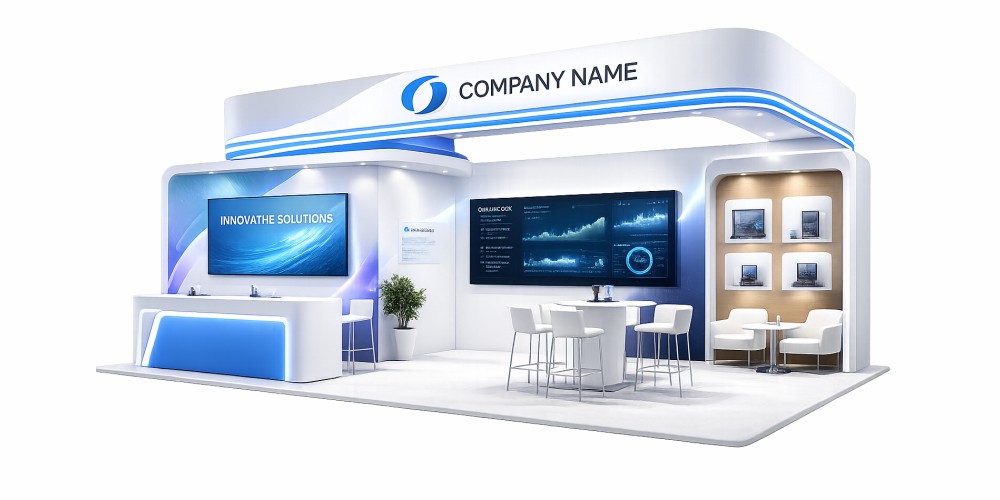
A 10×10 booth provides 100 square feet; a 10×20 provides 200 square feet. Choose a 10×10 when one demonstration or conversation area can do the job. Consider a 10×20 when you need two activities to happen at once, such as a product demonstration and a separate customer discussion. The extra space only helps when your furniture, staffing and access routes support those activities.
For Vancouver exhibitors and teams attending shows elsewhere in Canada, the first decision is the booked footprint and its open sides. Confirm those details before choosing display hardware or preparing print files.
Planning an upcoming show? Compare the layouts below, then share your booth requirements with Firebird Prints. Include your event date, booked dimensions and exhibitor manual so the proposed setup can be assessed against the actual space.
10×10 vs 10×20: dimensions and practical differences
| Planning factor | 10×10 booth | 10×20 booth |
|---|---|---|
| Floor area | 100 sq. ft., approximately 9.29 m² | 200 sq. ft., approximately 18.58 m² |
| Dimensions in metres | Approximately 3.05 × 3.05 m | Approximately 3.05 × 6.10 m |
| Typical inline orientation | 10 ft of frontage and 10 ft of depth | 20 ft of frontage and 10 ft of depth; verify the booking plan |
| Useful starting layout | One principal activity area, with compact support furniture | Two adjacent activity areas with a shared entrance zone |
| Main space risk | Furniture and stock consume the visitor area | Extra displays occupy the added space without creating usable activity areas |
| Reason to choose it | The complete interaction fits comfortably in a single area | A second activity needs its own space and someone to operate it |
A standard 10×20 inline space often adds width rather than depth. A plan that assumes a deep room may fail when the booked space is only 10 feet deep. Mark the aisle edge, neighbouring booths and actual width on the drawing.
Identify the open sides before choosing a layout
Inline: usually approached from the front aisle. Place the main display toward the rear and check the organiser’s restrictions on side structures.
Corner: has two adjacent aisle exposures. Preserve access and visibility from both directions instead of placing a tall wall along the second open side by default.
A booth’s dimensions do not tell you its configuration. Use the organiser’s floor plan to confirm the space, including columns, service points and any other restrictions. The layouts below are planning concepts, not approved construction drawings.
2 practical 10×10 booth layout ideas
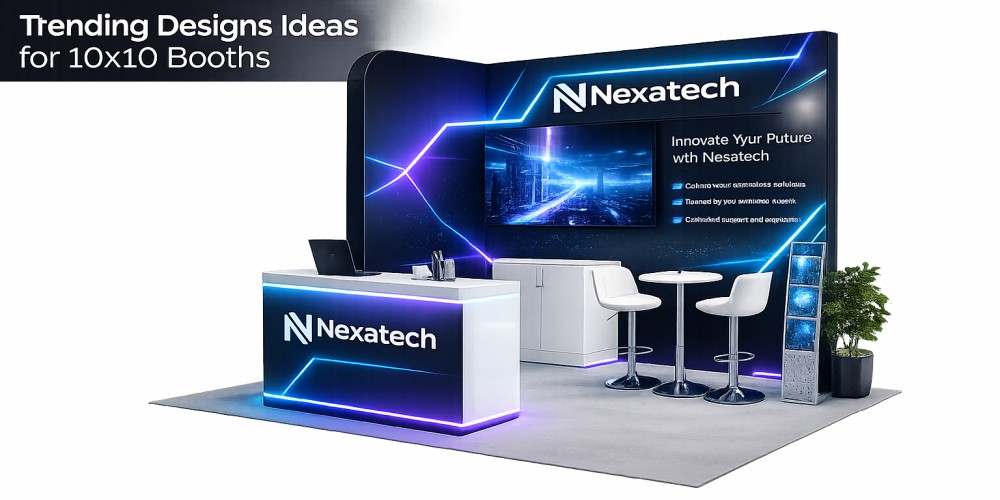
1. Rear display with a side counter
Best suited to: a service business, consultant or exhibitor whose main activity is a short discussion.
Position the main display along the rear boundary. Set a compact counter to one side, leaving a continuous entrance into the visitor area. Keep stock in an agreed storage location rather than behind a loose curtain that bulges into the space.
Draw the counter’s complete footprint, including its base and the space needed to open a door. If a staff member needs to stand behind it, include that occupied space too. A counter that fits on paper can still leave no useful place for a visitor.
Remove first if the plan is tight: a second freestanding banner or spare chair. Keep the area needed for the main conversation.
2. Side demonstration with an open viewing area
Best suited to: a small physical product or short screen demonstration.
Put the demonstration surface along one side, subject to sightline rules. Place the operator beside it and reserve a viewing area within the booth boundary. Locate power and cable routes before fixing the station in place.
Check what happens when another visitor approaches while the first demonstration is running. If the only waiting position is in the public aisle, shorten the demonstration, reduce furniture or reconsider the footprint.
For a corner booking: rotate the station toward a closed boundary where practical so the second aisle remains an approach route. Confirm any sidewall with show management.
2 practical 10×20 booth layout ideas
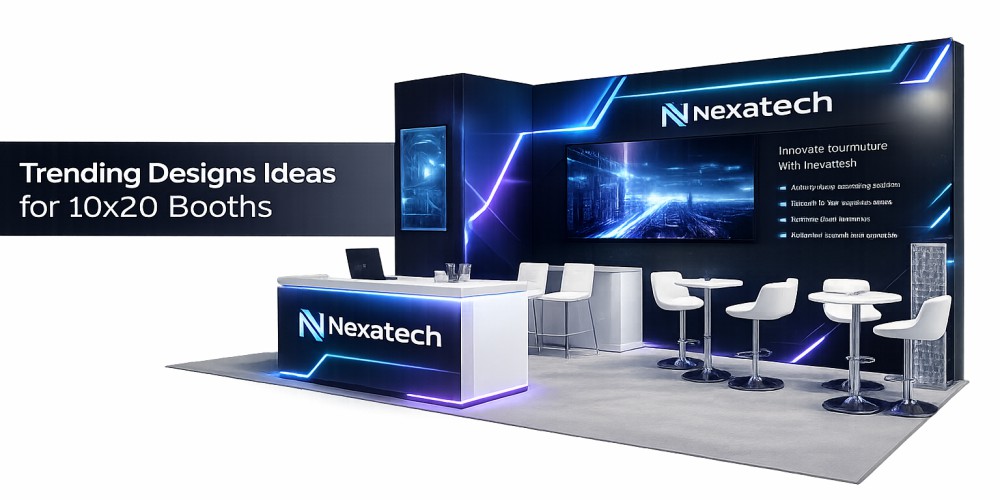
3. Demonstration and discussion side by side
Best suited to: an exhibitor who needs to show a product while another team member answers detailed questions.
Across the 20-foot width, assign one area to the demonstration and another to the discussion. Keep a shared entrance zone at the front. A small discussion table can work if its chairs, occupants and approach space all fit; a standing counter may use the space more effectively.
Place the screen or demonstration where viewers can gather inside the footprint. Avoid a central divider that creates two narrow entrances or hides one activity behind the other.
Staffing check: if only one person will work the booth, plan how both activities will be supervised. Two stations do not create two usable interactions automatically.
4. Product selection with a separate consultation area
Best suited to: a business with samples that buyers need to inspect before discussing specifications.
Group the selected samples along the rear or a permitted side display. Place the consultation surface beside that area, leaving a clear connection between browsing and discussion. Keep replenishment stock separate from the sample presentation.
Include shelf depth, freestanding supports and open cabinet doors in the plan. Check that visitors can inspect lower samples without stepping backwards into another activity.
Remove first if the plan is tight: duplicate samples and surplus seating. Expanding the product range on display should not consume the access route.
Measure the space people will actually use
The contracted area includes furniture, display supports and people. It is not all available circulation space.
For example, an illustrative counter measuring 4 × 2 feet occupies 8 square feet before allowing for an operator, visitors or an open storage door. Two such counters use 16 square feet of a 100-square-foot booth. These are planning examples, not Firebird product specifications.
- Draw the boundary to scale. On paper, use one square per foot. Confirm which edges meet an aisle.
- Add full equipment footprints. Include display feet, stabilisers, cable covers, screen stands, counters and storage.
- Mark occupied positions. Draw the demonstrator, seated visitors with chairs pulled out, and anyone waiting.
- Check accessible use. Keep a continuous approach to the main activity and allow room to manoeuvre. Confirm required clearances and any raised-floor treatment with the organiser and venue.
- Rehearse the busiest interaction. Mark out the footprint in a suitable workspace and use actual furniture where possible. Check arrival, participation and departure while another activity is running.
Do not use a fixed “people per booth” rule as an occupancy or accessibility standard. Usable space depends on the equipment, activity and applicable requirements.
Vancouver booth planning: check the show manual and venue services
At the Vancouver Convention Centre, review both your event’s exhibitor manual and the venue’s current operating guidelines. Check display heights, neighbouring sightlines and any approvals before confirming the design. An allowance from another show is not approval for your event.
The venue’s guidelines require suitable treatment of cables on pedestrian routes. Mark power needs and cable paths on the plan so a demonstration station does not depend on a cable crossing its entrance. Ask the venue or appointed provider to confirm the installation.
Also confirm the permitted delivery route and receiving time. The venue does not receive exhibitor freight ahead of scheduled move-in. Arrange any earlier receiving or storage through the appropriate event provider rather than sending a display to the venue unannounced.
For shows elsewhere in Canada, repeat the same checks using that organiser’s manual. Dimensions may be familiar, while service arrangements, display restrictions and submission requirements differ.
Plan screens and reusable displays around the footprint
A screen needs viewing space as well as mounting space. Mark the stand, support base, operator and viewers on the drawing. Use a suitable demonstration that can run without a live connection when possible, and confirm internet arrangements if connectivity is essential.
A tablet should not narrow the entrance. Locate it within an activity area and include its support and cable route. Test reach and usability from seated and standing positions.
Reconfiguration must be designed into the system. If you attend both 10×10 and 10×20 events, ask which components can form the smaller setup, which require different graphics and how unused parts will be stored. Not every 20-foot structure separates into two independent 10-foot displays.
Keep critical text and logos on usable panel areas rather than across removable joins. Request templates for the confirmed hardware before artwork is finalised. Explore the trade show display range once your footprint and activities are clear.
Which booth size should you book?
Start with 10×10 if a full-scale rehearsal shows that your main activity, staff, samples and access route fit. A larger footprint is unnecessary when the extra area has no defined job.
Consider 10×20 if a second activity needs its own space, visitors cannot participate without blocking access, or essential equipment makes the smaller plan impractical. Confirm that you have the staff and event resources to operate it.
Compare the complete event commitment: space rental, display transport, handling, service orders, staffing and storage. Doubling the floor area does not imply that every cost doubles, or that results will improve.
For messaging, demonstrations and the next step after a conversation, use our separate guide to the booth visitor experience.
Frequently Asked Questions
A 10×10-foot booth is 100 square feet, approximately 9.29 square metres. Furniture and display hardware reduce the space available for people.
Not necessarily. A common inline arrangement is 20 feet wide and 10 feet deep. Confirm the frontage and depth on your booking plan before designing the layout.
Use the assembled hardware dimensions, including feet and supports, rather than the graphic’s advertised width alone. The complete display must fit the permitted footprint and height. Confirm the system and template before ordering the print.
Possibly, if the hardware supports the required configurations. Confirm the component plan, graphics and stability for each setup with the supplier. A single wide graphic may not work when the structure is reduced.
No single height allowance should be assumed for every event. Check your organiser’s current manual, your booth configuration and the venue’s requirements before approving walls or overhead elements.
Turn your booth plan into a clear production brief
Send Firebird Prints the event name, venue, date, booth number, width and depth, open sides, exhibitor manual and the main activities you need to accommodate. Add equipment measurements, existing hardware details and any storage or power needs.
Request a quote for your booth setup or review our custom trade show booth services. Proofs are sent before production; organiser and venue approvals should also be resolved before the setup is finalised.