
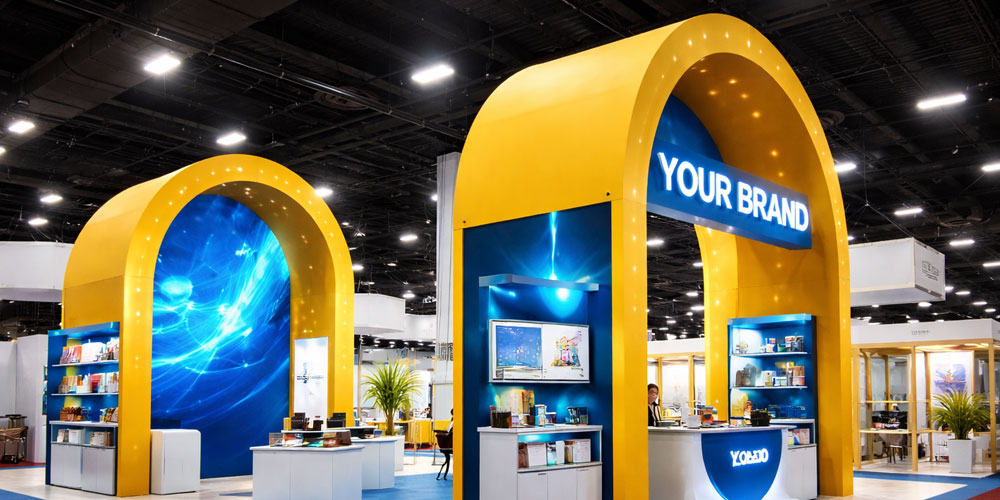
Design the booth around four visitor actions: notice what you offer, approach without obstruction, experience something relevant and choose a clear next step. Graphics, furniture, demonstrations and technology should support that sequence. More visual activity does not automatically create more useful conversations.
This guide is for exhibitors planning the visitor experience at a Vancouver show or another event in Canada. For the structure, display options and production review, visit custom trade show booths. If you are comparing individual display products, start with trade show displays.
Give the right visitor a reason to stop
Choose the audience and one useful action before designing the back wall. An exhibitor demonstrating equipment has a different interaction from a service company booking consultations. Write down who the booth is for and what that person should be able to understand or do during a short visit.
Your main message should identify the offer or problem you help solve. A logo gives people a name; a clear headline gives them context. For example, “Inventory software for independent retailers” tells a specific visitor more than “Innovating your future.” This is an illustrative message, not a claim about Firebird’s services.
Use a hierarchy: a primary message visible from the aisle, a supporting explanation nearer the activity and details available during the conversation. Test the proposed artwork from a realistic approach angle. Keep important content clear of people, counters and equipment that will obscure it during the show.
Design an approach, an activity and an exit
Sketch the visitor’s route before filling the floor plan with products. Show where a staff member stands, where someone watches a demonstration and how another person can approach or leave at the same time. Include the space taken by chairs, bags, cases and open cabinet doors.
A table across the whole front can be useful for a transaction, but it can also become a barrier to a walk-in conversation. Decide whether you need a front-facing service point or an open entry. Moving a counter to one side may help in some configurations; it is not a universal layout rule.
For footprint-specific arrangements, use the 10×10 and 10×20 booth layout guide. The comparison below illustrates interaction changes, not a scaled or approved construction plan.
| Design decision | A friction point | A change to test |
|---|---|---|
| Approach | Visitors stop in the aisle because the front is occupied | Create an approved entry and room to pause inside the booth |
| Message | A long paragraph competes with the logo and screen | Give one headline priority and move detail to the conversation area |
| Demonstration | The audience blocks the entrance or neighbouring space | Orient the activity and waiting position within the allotted footprint |
| Next step | A visitor leaves without knowing what happens next | Place a specific action beside the relevant activity |
Make the demonstration explain something
Give the activity a question to answer. Let someone compare two materials, see a product task completed or explore a use case relevant to their work. State what they will learn before asking them to participate.
Run the demonstration with the actual equipment and a staff member. Watch where a second visitor stands, how long the interaction takes and whether the person can leave without interrupting the group. If a conversation needs more time, provide a way to continue it without blocking the next arrival.
Plan for different ways of participating. Keep routes unobstructed, make key information readable and provide captions or a text explanation when video depends on spoken audio. Consider seated as well as standing use. Confirm the relevant access and construction requirements with the organizer rather than copying generic measurements from another country’s booth guide.
Use interactive technology when it improves the visit
Current exhibit examples include embedded QR panels, touchscreens and digital product demonstrations. They are options to evaluate against your audience and activity, not requirements for a successful booth or new inventions that every exhibitor must adopt.
- QR content access: Label the action, such as “View the specification sheet.” Link to a mobile page your team controls, test the printed code in its final position and provide a readable URL or staff-assisted alternative.
- NFC tap points: If you use an NFC tag, make the tap location obvious and test the supported phones, positioning and surface. Pair it with another access method rather than expecting every visitor to know how it works.
- Touchscreen or product configurator: Give it a short, understandable task and a clear way to restart. Test reach, glare, navigation and the time needed before someone else can use it.
- Video or a larger digital display: Show a useful product sequence or comparison. Check that key information remains understandable without sound and that the display does not compete with the booth’s main message.
Assign someone to operate and troubleshoot the technology. Confirm power, connectivity, equipment mounting and any specialist AV support. Keep a backup explanation or locally available demo where feasible. Ask suppliers separately about the technology scope; a printed booth order does not automatically include software, NFC programming, AV equipment or technical staffing.
If an activity collects contact details, make the purpose clear and use your organization’s approved collection and follow-up process. A scan, a download and an agreed follow-up conversation are different actions and should be recorded separately.
Place the next step where interest happens
Match the invitation to the experience. After a demonstration, “Request the specification sheet” may be more relevant than a generic “Contact us.” A service consultation might lead to booking a later discussion. Choose an action your team can actually fulfil.
Position the prompt where people have enough context to decide. Avoid covering every surface with competing codes and forms. Staff should be able to explain the action and confirm what happens after it.
If you use giveaways, keep their selection and distribution connected to the visitor experience. The trade show promotional items guide covers that decision separately. For choosing the printed components, use what to print for a trade show booth.
Walk through the booth before approving production
- Approach from both aisle directions. Can a first-time visitor identify the offer without an explanation?
- Rehearse with people in position. Include staff, a visitor and someone waiting. Check sightlines and movement with real bodies in the space.
- Run the complete activity. Test the demonstration, screen, code or form through to its destination.
- Check the quieter alternative. Can someone obtain the essential information without hearing the audio, using a touchscreen or scanning a code?
- Confirm the practical constraints. Review the footprint, open sides, height limits, storage, power and setup requirements against the show’s current instructions.
For a Vancouver Convention Centre event, use the show’s exhibitor manual alongside the venue’s operating guidelines. A design suitable for one show is not automatically approved for another. Apply the same review when taking the booth to events elsewhere in Canada.
If you want to reuse the design at several shows, ask which parts can be reconfigured and which artwork must change for a different footprint. Modular hardware can help only when the actual system supports the arrangement. Confirm compatibility instead of assuming one rendering represents every setup.
Evaluate conversations, not just activity
After the show, record where people paused, which questions they asked and where the experience stalled. Distinguish visitors who watched a demo from those who requested information or agreed to follow-up. A crowded booth or a high scan count alone does not establish sales value.
Use those observations to choose the next change: clearer wording, a different demo position or a simpler next step. Compare results in context, since audience, show traffic and staffing can change between events. For packing and setup preparation, use the trade show booth checklist.
Questions About Booth Visitor Experience
Prioritize a clear offer, an appropriate approach and one relevant interaction. Test whether furniture and people leave usable room to pause and move. The right arrangement depends on the footprint, open sides and organizer’s rules.
Only if it helps communicate the offer or lets visitors do something useful. Assess the content, space, equipment, support and power requirements. A well-explained physical demonstration may suit the project better.
Provide the show and venue, confirmed footprint and open sides, exhibitor rules, intended visitor action, staff count, products or demo equipment, existing display assets and required date. Include the proposed message and any digital requirements that need a separate feasibility review.
Bring the visitor plan into your booth brief
Share the footprint, the experience you want visitors to have and the graphics or display elements you need. Firebird Prints can review the booth and print requirements for your Vancouver event or Canadian show schedule.