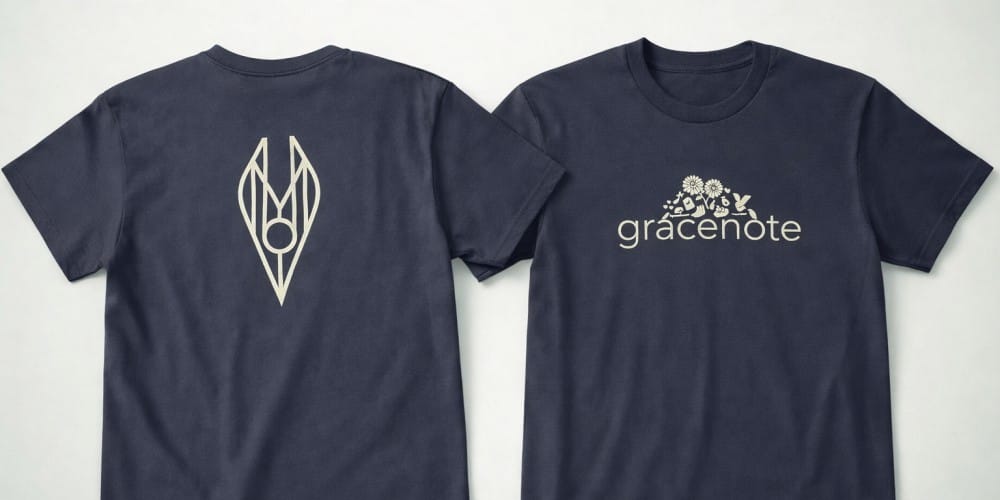
Choose the print location first, then set the artwork width on the actual T-shirt style. A 3.5-inch logo on the left chest and an 11-inch graphic on the back serve different purposes, and the same artwork can look very different on a youth tee, a fitted tee and an adult unisex shirt.
The measurements below are starting points for a mockup, not fixed print limits or a substitute for a production proof.
Quick reference: common T-shirt print widths
- Left chest logo: roughly 3–4 in (7.6–10.2 cm) wide. Keep a long wordmark narrow enough to clear the arm and a compact icon large enough to read.
- Small centre chest: roughly 4–6 in (10.2–15.2 cm) wide for a short wordmark or restrained graphic.
- Full front: roughly 9–11 in (22.9–27.9 cm) wide for a prominent adult graphic. Its height follows the design’s proportions and the available space on the garment.
- Full back: roughly 10–12 in (25.4–30.5 cm) wide for a substantial graphic or readable team identification.
- Short sleeve: roughly 2–3 in (5.1–7.6 cm) wide for a small logo or short text.
These are visual planning ranges for many adult tees. They are not Firebird Prints’ guaranteed printable areas. Youth, smaller adult sizes, pockets, seams, garment cuts and chosen print methods can reduce or change the usable area. The width of the artwork is not necessarily its height: a wide wordmark and a square logo need different space even when both are 4 inches wide.
Choose the location by what the shirt needs to communicate
Left chest: an identifiable logo without filling the front
Place a logo on the wearer’s left, which appears on the viewer’s right. This works for staff shirts and other apparel where the shirt should remain easy to wear outside an event. Centre the design within the visible chest area rather than measuring blindly from the side seam.
A pocket, shaped panel or fitted cut can change where that visual centre appears. Fine taglines may be illegible at a small width; use a simpler logo version if necessary.
Centre chest and full front: two different looks
A small centre chest print gives a restrained, balanced look. A full front graphic gives a headline, illustration or event design more room. For an adult starting mockup, the upper edge of a front design is often placed around 3 in (7.6 cm) below the neckline.
Move it in the proof if the collar, design height or shirt cut makes it look crowded or too low. Keep the artwork away from the underarm area and allow space below a long design.
Upper back and full back: separate the message from the logo
A short name or small mark can sit high between the shoulders; a large illustration or readable CREW or STAFF message usually needs a fuller back area.
Check the whole design height, not only its width, so the print does not sink too far down the shirt.
A left chest mark plus a back design is a useful two-location layout when people need to recognize staff from both directions. Two locations are separate print areas and may affect the quote.
Sleeve: use a short, simple element
A small icon, initials or short wordmark fits a sleeve better than a paragraph or detailed artwork. Check which sleeve you mean from the wearer’s perspective and inspect the mockup with the arm at rest. On smaller or narrow sleeves, the available flat area may be much less than on a large unisex tee. Confirm sleeve decoration is available for the garment and method you choose.
Check the layout across shirt sizes
Do not assume a single width will look proportionate on every size. An 11-inch adult front print may be too wide on a youth or small fitted shirt; a tiny chest logo may feel lost on a large shirt. Some jobs use one print size across the run for consistency, while others need separate artwork sizes or placements.
Ask how the proposed design will be handled for your actual size mix, and review at least the smallest and largest garments in the proof. Avoid treating a digital mockup of one size as approval for every size.
The shirt itself matters too. A budget T-shirt and a premium T-shirt may have different cuts and drape, so judge the placement on the selected blank rather than a generic template. For a pocket tee or a fitted style, call out any part of the design that must line up with a pocket or panel.
Make the proof specific enough to approve
Send your artwork and a simple placement note, for example: “3.5 in wide on wearer’s left chest; 11 in wide across upper back.” Include the garment style and colour, size range, and whether the front and back artwork are different.
If you have a visual reference, attach it, but give the intended physical widths too; a screenshot alone cannot define the final size.
Ask the team to confirm the available print area, the position relative to the collar or seams and whether the size changes across garments.
Before approving, check the logo’s reading size, the gap to the collar, the side clearance, the front-to-back balance and which sleeve appears in the image. If a raster graphic must be enlarged, make sure the original pixels remain suitable at the intended width; our guide to avoiding blurry T-shirt prints covers that separate file quality check.
The approved proof is the place to settle placement before production, rather than relying on a generic measurement after the shirts are printed.
Frequently asked placement questions
Both can work. Start with the logo’s shape and the shirt size: a dense, square logo may be legible near 3 inches, while a longer wordmark may need more width. Compare both versions on the actual garment mockup and check any small text.
Yes, if it fits both spaces. A logo prepared for a 3.5-inch chest print may need a separate layout for an 11-inch back print. Specify the intended width for each location and have the team review both files.
No. A design can be physically large yet hard to read if it has thin lettering or sits too low. Test the message at the viewing distance that matters for your event or team, and leave enough space around it on the shirt.
Once you know the intended placement and size, explore custom T-shirt printing in Vancouver for garment options, order planning and a quote. Send the artwork, preferred widths and size range so Firebird Prints can confirm a workable setup and provide a proof before production.