

 Need Just a Few?


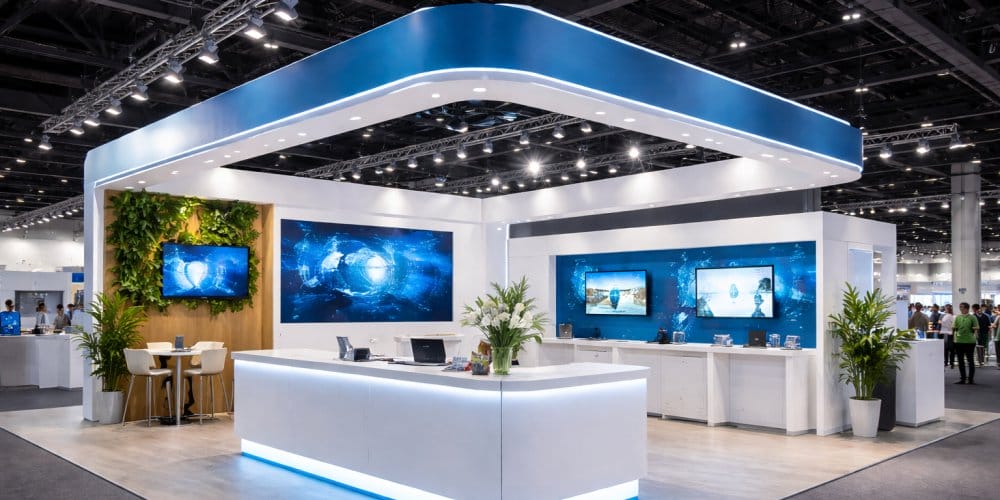
A trade show booth is ready when its approvals, graphics, hardware, transport, devices and staff have been checked together. Use this checklist to assign responsibility, record deadlines and confirm that each part works before it leaves for the event.
Start with your event’s exhibitor manual. It determines access times, permitted setup work and service requirements. This checklist supports that manual; it does not replace it or assume that every booth needs the same equipment.
If you still need display components, explore Firebird Prints’ trade show displays in Vancouver. The steps below help turn the selected equipment into a prepared event kit.
Build One Shared Readiness List
Give each task an owner, a due date and a status. Use “confirmed” only when there is evidence, such as an approved proof, a service order confirmation or a completed setup test. “Someone ordered it” is not the same as knowing it is ready.
One person can hold several roles on a small team. What matters is that every dependency has a named owner and the team knows who can make decisions at the venue.
| Milestone | Suggested Owner | Evidence To Record |
|---|---|---|
| Space And Rules Confirmed | Event lead | Booth number, booked dimensions, open sides, inclusions and current exhibitor manual. |
| Graphics Released | Artwork approver | Approved versions, product templates, quantities and confirmed production schedule. |
| Services Arranged | Operations lead | Required electrical, internet, handling or installation orders and their confirmations. |
| Complete Kit Tested | Setup lead | Assembly check, component count, working demo and recorded missing items. |
| Freight And People Ready | Logistics lead | Correct destination, accepted delivery window, package count, staff access and return plan. |
| Booth Ready To Open | On-site lead | Installed equipment checked, visitor routes clear, devices working and staff briefed. |
Work backwards from the date the complete kit must be available for inspection and packing, not just the show’s opening date. Use confirmed supplier and organiser deadlines rather than a universal production allowance.
1. Confirm The Space And Event Requirements
- Save the latest floor plan and exhibitor manual where the setup team can access them offline.
- Confirm booth dimensions, open sides, permitted heights and any approval requirements for the proposed structure.
- List what the booking includes: furniture, floor covering, power, lighting or other services. Do not assume an item is included because it appears in an event photograph.
- Check move-in and move-out windows, loading instructions, access passes and contractor arrangements.
- Record deadlines for service orders, drawings, insurance or material documentation where required.
- Confirm who is responsible for assembly, dismantling, handling and return collection.
If the footprint or equipment placement is unresolved, settle that before artwork and packing. Our 10×10 vs 10×20 booth layout guide addresses that separate decision.
2. Check Every Graphic Against Its Hardware
Create an inventory of the graphics already selected. For each one, record the display model, finished size, artwork version and hardware it must fit. Existing frames need particular attention: matching width alone does not establish compatibility.
- Use the correct supplier template and verify orientation, visible areas, seams, pockets or attachments.
- Check logos, dates, spelling, contact details and any approved offer against the final proof.
- Confirm the table dimensions before approving a cover, including depth and height.
- Check which printed panels belong to which frame or case, especially when several kits look alike.
- Inspect received graphics for damage, missing pieces and discrepancies while there is time to respond.
For a table cover that still needs specifying, use the custom printed tablecloth options to discuss the actual table and coverage. If you have not yet decided which graphics to order, use what to print for a trade show booth rather than treating every possible print item as mandatory.
A backdrop, tablecloth, handout and giveaway are not compulsory for every exhibitor. Check that the selected set supports your approved plan and fits the space.
3. Rehearse The Complete Setup Before Packing
Assemble the equipment your team is authorised and equipped to handle, following the manufacturer’s instructions. For structures needing specialist installation, arrange the appropriate review or test with the responsible installer. Do not improvise a structural fix during a rehearsal.
Use the real graphics, table dimensions, devices and cables where possible. Record assembly time so the team can plan against the booked access window. There is no universal setup time that proves a kit is well organised.
- Count poles, feet, connectors, fixings, lights and any model-specific accessories.
- Check that graphics fit and that the supplied hardware supports them as intended.
- Photograph the assembled result and useful connection details for the setup team.
- Test the demo from startup through its intended completion, including sound and display connections where relevant.
- Check the visitor-facing result with the table, samples and people in position.
- Resolve missing or damaged parts before closing the cases.
For example, a team reusing a back wall and adding a new table cover should test them together. The new cover may fit correctly while the table still blocks important information on the existing wall. Finding that in rehearsal gives the team a chance to adjust the approved setup.
4. Test Lead Capture And Its Backup
Run a complete test of the chosen lead process. Scan the printed QR code at its intended size, submit the form and check that the record reaches the expected destination. Test booking links and confirmation messages as well as the page opening.
- Confirm device logins, app access, charging cables and any necessary account permissions.
- Test the internet connection required by the demo or lead tool; arrange services under the event’s rules.
- Prepare an offline demonstration or another approved fallback if the live system becomes unavailable.
- Choose a backup way to record essential enquiry details and the next action requested.
- Assign someone to reconcile backup records and handle follow-up after the event.
Keep access to collected information limited to the people who need it. Give staff clear instructions on what to record and how to explain the follow-up. A working scanner alone does not establish that the team can use the resulting records.
5. Pack By Setup Sequence
Label cases by function and give each a number. Keep an inventory inside each case and a copy with the on-site lead. Record quantities so the same list can be used for repacking.
| Pack Group | Items To Check | Packing Control |
|---|---|---|
| Access And Documents | Passes, instructions, approvals, order confirmations and contact list. | Keep accessible to the arriving team rather than buried in freight. |
| Display Hardware | Frames, bases, connectors, specified fixings and instructions. | Count components and protect them from damaging printed surfaces. |
| Printed Graphics | Selected wall graphics, banners, table covers and signs. | Follow each product’s storage instructions; identify its matching hardware. |
| Technology | Demo devices, approved power accessories, chargers and tested adapters. | Label connections and keep essential cables with the relevant device. |
| Activity And Staff Supplies | Samples, planned literature, staff identification and activity materials. | Separate opening stock from reserve stock and record counts. |
| Setup And Repacking Kit | Permitted tools, approved attachment materials, cleaning supplies and return labels. | Pack for access at both ends of the event; retain reusable packaging. |
Use the cases, sleeves or protective packaging intended for the products. Do not assume all banners should be rolled into tubes or all fabrics can be steamed. Separate clean graphics from tools, liquids and loose metal components.
6. Confirm Delivery And Loading In Vancouver
Before dispatch, verify the receiving destination, event name, booth number, contact, delivery window and package count. An advance warehouse and a venue loading area are different destinations. Use the organiser’s actual instructions.
The Vancouver Convention Centre’s delivery and loading guidance says advance deliveries are not permitted before event move-in. Its loading areas are for temporary loading and unloading, with parking prohibited. Coordinate your arrival and receiving arrangements rather than sending freight early to the venue.
Save tracking details and confirm receipt through the relevant receiving process. Record who will bring the kit from the receiving point to the booth. Plan return collection, labels and temporary storage for empty cases before the show starts.
7. Check Venue-Controlled Work And Supplies
At the Vancouver Convention Centre, temporary electrical services are supplied exclusively by the venue. Adhesives, floor graphics and cable routing also have specific restrictions. Review the current operating guidelines before choosing accessories or promising an installation method.
The venue’s Exhibitor Services page requires high-visibility vests during move-in and move-out. Check the event instructions for any additional requirements and bring the appropriate equipment.
Apply the same principle at other venues: confirm permitted work, attachment methods, required documentation and service providers. Packing tape is for your cartons; it is not permission to attach graphics to venue surfaces. A printed sign is not automatically approved for installation in an aisle or public area.
8. Run The Opening Check With Your Team
Follow the approved installation sequence and manufacturer’s instructions. Once the booth is assembled, walk through it from the visitor’s side and check the complete operation.
- All required installation checks and approvals are complete.
- Displays are assembled as specified and graphics are correctly attached.
- Entrances, aisles and staff access remain clear; cables follow the approved arrangement.
- The main information is visible with people and products in place.
- The demo, QR code, form or booking process works on-site.
- Opening stock is ready and reserve supplies are stored appropriately.
- Staff know their shifts, meeting commitments, escalation contact and backup process.
- Return packaging and dismantling instructions can be located.
Give the team a short briefing covering the objective, who handles each activity and what happens when someone needs a break. If the visitor experience itself still needs development, use our guide to trade show booth visitor flow and design.
9. Repack For The Next Show
Begin dismantling only within the organiser’s permitted window. Count items against the manifest, note damage and photograph anything that needs attention. Confirm return collection and keep the relevant paperwork accessible.
Before storage, follow product care instructions and ensure graphics are clean and dry. Update the inventory with missing components, replacements and artwork that will become outdated. Assign follow-up actions to staff so leads and equipment issues both have an owner.
Frequently Asked Questions
Start when the space and event requirements are known. Work backwards from approval, production, inspection, freight and service deadlines. Confirm those dates with the relevant suppliers and organiser instead of relying on a standard number of weeks.
Keep passes, event instructions, contacts, approvals and service confirmations with the arriving team. Make the assembly instructions and first needed components easy to reach without unpacking the whole kit.
No. Adapt the list to the approved setup and event activity. Mark unnecessary items as not applicable so they are distinguished from forgotten tasks.
Only bring items suitable for the approved setup and permitted under the venue’s rules. Confirm electrical arrangements, cable protection and surface-specific adhesive requirements before packing them.
A complete rehearsal using the actual equipment, graphics and devices. Include a test enquiry through the lead system, a component count and a review of what the arriving team must access first.
Resolve Display Gaps Before The Kit Leaves
If the readiness check reveals missing graphics, incompatible hardware or a booth that needs a coordinated build, share the event date, booked footprint, exhibitor manual and existing equipment details with Firebird Prints. Confirm the proposed scope and schedule before committing to production.
Discuss Your Custom Trade Show Booth Requirements, or compare individual components in our trade show display range.